
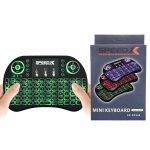
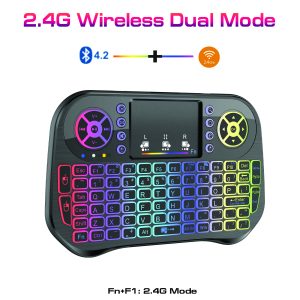
The RF 500 is a compact and powerful wireless handheld keyboard with a touchpad mouse, designed to bring convenience to your entertainment and computing experience. Here’s a detailed overview of its features and how it can enhance your setup:
Key Features:
Full QWERTY Keyboard (92 Keys):
The RF 500 comes with a full QWERTY keyboard, featuring 92 keys including the standard alphabetic keys, numbers, multimedia control keys, and function buttons. This allows for efficient typing and control.
Integrated Touchpad Mouse:
The device is equipped with an integrated touchpad mouse that lets you easily navigate your screen, similar to a traditional mouse. It’s perfect for browsing, selecting, and controlling various applications with simple finger gestures.
Multimedia and Gaming Controls:
The RF 500 supports multimedia controls (like volume, pause/play, skip tracks) and gaming controls, making it an excellent choice for both entertainment and gaming. You can manage video, audio, and gaming controls without needing a separate remote or controller.
Wireless Connectivity:
The device connects wirelessly via 2.4GHz RF (radio frequency), offering a reliable connection without the need for tangled wires. This wireless range allows you to control devices from the comfort of your couch or other seating areas.
Compatibility:
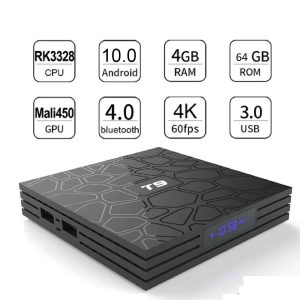
The RF 500 is compatible with a wide range of devices such as HTPCs, mini PCs, TV boxes, Xbox, PCs, and other devices with USB ports. It’s perfect for converting your regular TV or PC into a smart entertainment hub.
Compact & Portable Design:
Small, lightweight, and easy to carry, the RF 500 is designed for use in various settings—whether you’re lounging on the couch, giving a presentation, or controlling your media center from across the room.
Convenience:
With no wires to deal with, you can easily switch between your devices and control them from a distance, up to a comfortable range, typically around 10-15 meters (depending on environmental factors).
How to Use the RF 500:
Power the Device:
Ensure the RF 500 is charged and powered on. You may need to connect it to a charging source if the battery is low.
Plug in the USB Receiver:
Insert the USB receiver into your device (PC, TV Box, Xbox, etc.) that you want to control. The receiver will automatically pair with the RF 500 once inserted.
Use the Keyboard:
You can start typing using the full QWERTY keyboard for inputting text, browsing the web, or navigating your system.
Control with the Touchpad:
Use the touchpad for navigation, clicking, and scrolling through applications. It functions as a mouse, and you can left-click by tapping or using the physical button on the side of the device.
Control Multimedia & Gaming:
Use the multimedia keys to adjust volume, play/pause media, or skip tracks. The gaming controls are helpful for playing games without needing additional controllers.
Wireless Control:
Enjoy seamless control over your devices from anywhere in the room with the 2.4GHz wireless connection.
Applications and Ideal Usage:
Home Entertainment: Ideal for controlling a media center, TV Box, or streaming device (e.g., Android TV Box, Smart TV) from your couch.
Gaming: You can navigate and control games on PC or console with ease.
Office Work or Presentations: Use it to control presentations or for general office work with a keyboard and mouse combo.
Smart TVs: Turn your regular TV into a smart TV, allowing you to control apps, websites, and streaming services like Netflix, YouTube, etc.
The RF 500 is a highly practical and versatile device, combining the functionality of a keyboard, touchpad, and multimedia controller in a compact, wireless form. It provides a seamless and comfortable experience for a wide range of activities, from working on your PC to enjoying media or gaming from a distance.


Reviews
There are no reviews yet.