
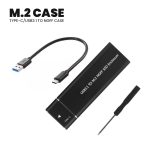
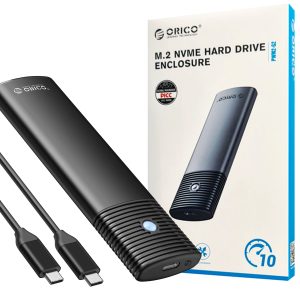
Key Features to Look For
- Interface & Speed
- USB 3.1 Gen 2 (10Gbps) → Theoretical max ~1,000MB/s (real-world: 800–1,050MB/s).
- UASP + TRIM Support → Faster speeds and SSD longevity (check specs).
- M.2 Compatibility
- NVMe (PCIe) vs. SATA → Confirm your SSD type (most enclosures support NVMe only).
- Length Support → 2230/2242/2260/2280 (most fit 2280).
- Build Quality
- Aluminum body for heat dissipation (NVMe SSDs get hot!).
- Tool-free design (for easy SSD installation).
- Extra Features
- RGB lighting (gaming aesthetics).
- Heat sinks/thermal pads (for sustained performance).
Performance Benchmarks
| SSD Type | USB 3.1 Gen 2 Speed |
|---|---|
| NVMe PCIe 3.0 | 800–1,050MB/s |
| SATA M.2 | 550MB/s (limited by SATA) |
Note: USB 3.1 Gen 2 is 2x faster than USB 3.0 (5Gbps).
Installation Guide
- Open the enclosure (slide/tool-free).
- Insert M.2 SSD (align notch with key).
- Secure with screw/standoff (included).
- Attach thermal pad (if provided).
- Connect USB-C to PC (cable included).
Where to Buy?
- Amazon (fast shipping, easy returns).
- Newegg (sales on Sabrent/Acasis).
- AliExpress (cheaper but slower shipping).
USB 3.1 Gen 2 vs. Thunderbolt 3
| Feature | USB 3.1 Gen 2 | Thunderbolt 3 |
|---|---|---|
| Speed | 10Gbps | 40Gbps |
| Price | 20–40 | 80–150 |
| Best For | General use, backups | Pro workflows (4K video) |
Choose USB 3.1 Gen 2 if: You want affordable, near-NVMe speeds.
Final Recommendation
For most users, the Sabrent or UGREEN enclosures offer the best balance of speed, cooling, and price. If you need RGB/heatsinks, go for ROG Strix or Acasis.
Need help picking one for your SSD? Reply with your SSD model!




Reviews
There are no reviews yet.