

Overview
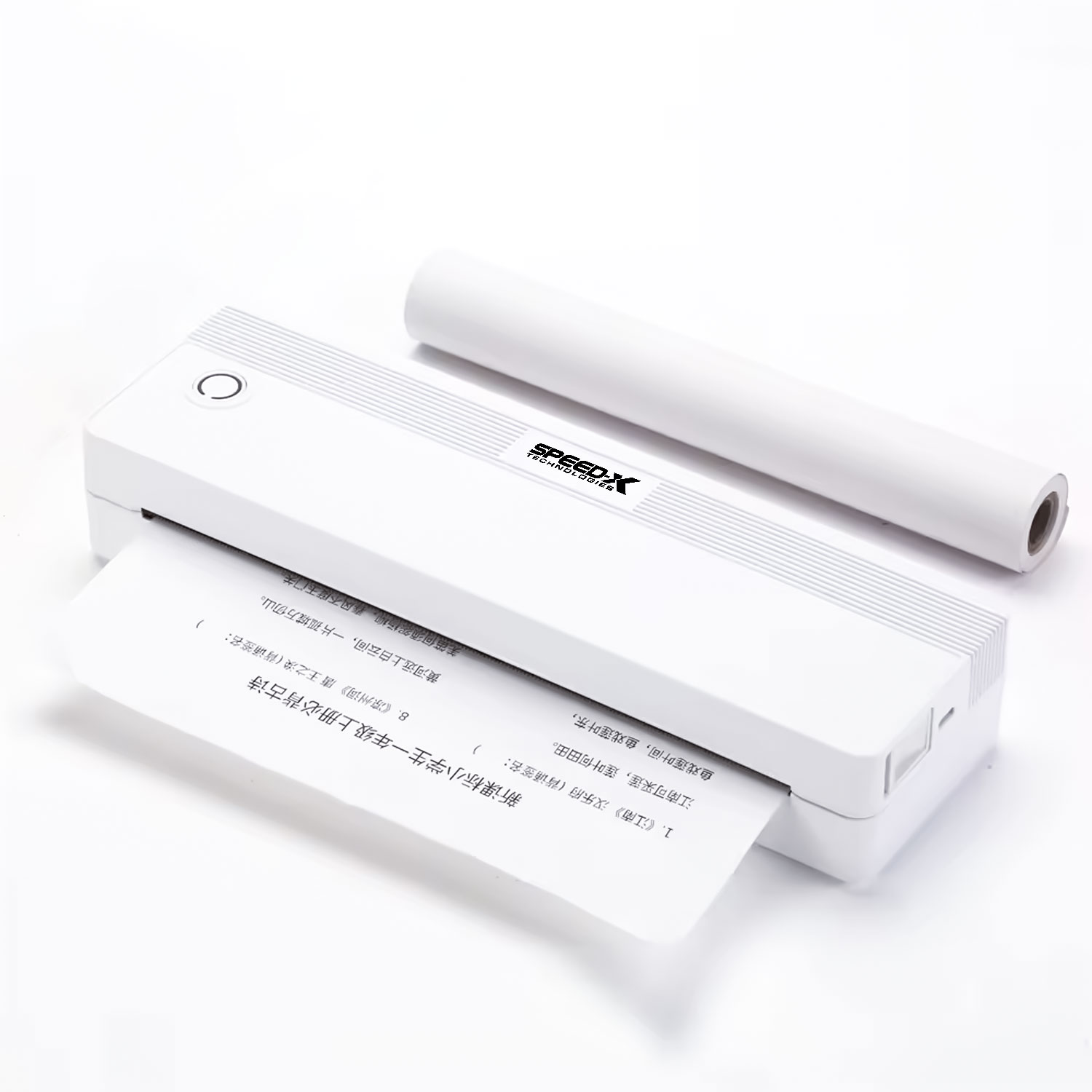
The Speed-x SP-A42 is a portable, inkless A4 thermal printer. Its defining feature is that it uses heat-sensitive A4 paper (like a giant receipt) to print full documents without any ink, toner, or ribbon. It supports both Bluetooth and Wi-Fi for maximum wireless flexibility and is designed for mobility, likely featuring a built-in battery.
Key Features & Specifications
| Feature | Description |
|---|---|
| Printer Type | Direct Thermal (Inkless) |
| Print Size | A4 (210mm x 297mm) – Standard paper size |
| Print Width | 216mm (effective printing width for A4) |
| Print Speed | ~10mm/s (This is very slow for a full page) |
| Paper Type | A4 Thermal Paper (Specialized, often more expensive) |
| Connectivity | Bluetooth + Wi-Fi (True wireless portability) |
| Resolution | 203 DPI (Standard for thermal printing) |
| Portability | Designed to be lightweight and portable, with a built-in rechargeable battery. |
Pros and Cons
Pros (Advantages):
Complete Portability & Wireless Freedom: The combination of A4 size, battery power, BT, and Wi-Fi means you can print a full-sized document from virtually anywhere—a construction site, a client’s office, a classroom—without being tethered.
Inkless/Tonerless Operation: No need to buy or replace expensive ink cartridges or toner. This eliminates smudging and makes the printer very low-maintenance.
Silent Operation: Thermal printers are typically much quieter than traditional inkjet or laser printers.
Compact Form Factor: Much smaller and lighter than a standard A4 inkjet or laser printer.
Cons (Limitations & Critical Considerations):
Extremely Slow Print Speed: At 10mm/s, printing a full A4 page length (297mm) would take about 30 seconds per page. This is impractically slow for multi-page documents.
Paper Limitations & Cost:
Special Paper: Requires proprietary A4 thermal paper, which is less common and more expensive than standard A4 paper.
Non-Archival: Thermal prints are sensitive to heat, light, and friction. Documents can fade over time (months/years) and are destroyed by heat (e.g., left in a hot car). Not suitable for important records or documents that need to last.
Print Quality Limitations: Best for text and simple barcodes. It struggles with high-quality graphics and cannot print in color. It is susceptible to “ghosting” if pages rub against each other.
Niche Use Case: The combination of benefits and drawbacks makes this a very specific tool for a very specific set of problems.
Common Applications
Given its unique pros and cons, the SP-A42 is suited for very specific scenarios where immediate, on-the-spot printing of a temporary A4 document is required.
Mobile Contract Signing: For field agents (real estate, insurance, utilities) to print contracts or agreements for immediate signature on-site.
Delivery & Logistics: Printing full-sized shipping manifests, bills of lading, or proof-of-delivery documents directly from a truck.
Construction & Field Service: Printing blueprints (simplified versions), work orders, or inspection reports at a job site.
Mobile Offices & Pop-up Events: For printing documents where setting up a traditional printer is impossible.
Temporary Documents: Printing documents that are needed for immediate reference but are not intended for long-term storage.
Setup and Usage
Power: Ensure the internal battery is fully charged via the provided power adapter/USB-C cable.
Load Paper: You must load specially designed A4 Thermal Paper rolls or sheets. Incorrect paper will not work.
Connect:
Wi-Fi Mode: Connect the printer to your local Wi-Fi network using a mobile app or WPS button.
Bluetooth Mode: Pair it with your smartphone, tablet, or laptop like any other Bluetooth device.
Print: Use a dedicated printing app or the operating system’s standard print function. The printer will appear as an available wireless printer.
Crucial Note: The extremely slow speed means this is not a replacement for a home or office printer. It is a specialist tool for printing one-off documents in the field.
Manual and Configuration
The official manual is essential for:
Wi-Fi Setup: The specific steps to connect to a network.
Mobile App: You will almost certainly need a companion app to manage the printer and its settings.
Driver Information: How to install it as a system printer on a computer.
How to find the manual: Search online for “Speed-x SP-A42 manual PDF”


Reviews
There are no reviews yet.