Key Features & Specs
- Inputs
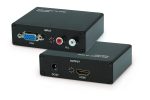
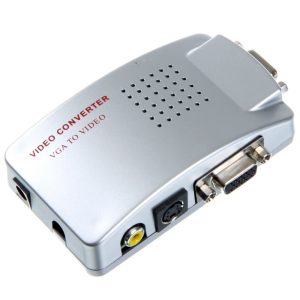
- VGA (15-pin): Accepts video from PCs, laptops, or older gaming consoles.
- 3.5mm or RCA Audio (optional): Since VGA doesn’t carry sound, some boxes require a separate audio input.
- Outputs
- HDMI (Digital): Outputs up to 1080p (depending on model).
- Power
- Usually requires external power (5V USB or DC adapter).
- Supported Resolutions
- Common: 640×480, 800×600, 1024×768, 1280×720, 1920×1080 (check specs).
- Scaler Chip
- Some boxes upscale lower resolutions to fit HD screens (quality varies).
Performance & Compatibility
✅ Works With:
- Older PCs, projectors, or industrial machines with VGA output.
- Some retro gaming setups (if the console outputs VGA).
❌ Limitations:
- No signal conversion? Some TVs may not sync with VGA’s analog signal.
- Audio not included? You may need a separate 3.5mm-to-HDMI audio injector.
- Lag? Cheaper converters can introduce slight delay (not ideal for gaming).
Setup Guide
- Connect VGA from your PC/device to the box.
- Plug in audio (if required) via 3.5mm or RCA.
- Power the box (USB or DC adapter).
- Connect HDMI to your TV/monitor.
- Set PC resolution to match the converter’s supported modes (e.g., 1024×768).